Minecraft survival mod · Mechanical tech
Better Than Wolves Mod
Better Than Wolves Mod reshapes Minecraft survival with tough mechanics, expanded systems and unique gameplay. No magic blocks and no shortcuts: survive a harsh first night, harness wind and water, and earn every tool on the long road to steel, now on Forge 1.20.1.
- Java Edition
- Forge 47.3.0+
- Java 17
- Fresh worlds
 Minecraft Java1.20.1
Forge47.3.0 or newer
JavaVersion 17
What Is Better Than Wolves Mod?
A total conversion
Better Than Wolves Mod, known as BTW, rewrites many of Minecraft Java's rules for a deeper survival and engineering game, while keeping the feel of the original.
From FlowerChild's original
FlowerChild released the mod for Minecraft 1.0 to 1.5.2. The community later continued it as Better Than Wolves: Community Edition on 1.6.4.
Now on Forge 1.20.1
The download here is Better Than Wolves [MODERN PORT] by ThatSoulyGuy, which runs the original code on Forge 1.20.1 through a compatibility layer.
Features of Better Than Wolves Mod
Twelve systems from the port's project description. Together they replace instant crafting with a working, powered world that you build piece by piece.
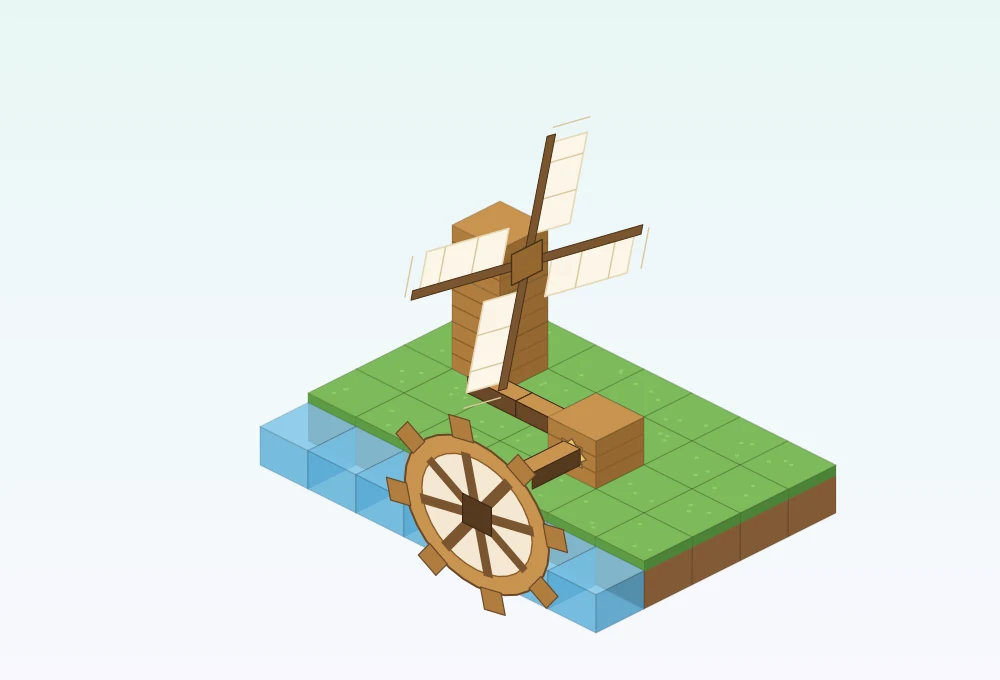
See how it worksMechanical power
Windmills
Tall wind-driven sails turn an axle and give you a steady early source of rotational power.
Water wheels
Set a wheel in flowing water when wind is not practical, and build your base around the river.
Axles and gearboxes
Axles carry power across your build; gearboxes redirect it and split it between machines.
Processing & crafting
Mill stones
Grind materials with real mechanical power instead of a single click at a crafting table.
Saws
Powered saws cut materials and unlock an important step of the tech tree.
Kilns, cauldrons and crucibles
Fire, cook and smelt with dedicated blocks, each with its own job in the chain.
Soulforge and steel
A long progression leads to the soulforge and steel tools, weapons and gear.
Survival
Hunger and penalties
A reworked food system with four separate debuff tracks for players who neglect it.
Costly sleep
Sleep is no longer a free skip, so every night needs a plan.
Hemp, husbandry and cooking
Grow hemp, raise animals and spend real time on cooking, baking, knitting and dyeing.
Composite bow, battleaxe and warhammer
New weapons sit beside steel tools for the later, more dangerous stages.
Optional JEI recipe pages
With JEI installed, browse cauldron, crucible and mill stone recipes without leaving the game.
How it works
The game is one long tech tree. Each phase depends on the one before it, so progress always feels earned.
Phase 01Survive the first night
Food is scarce, hunger has teeth and the dark is dangerous. Shelter, food and simple tools come first.
Phase 02Turn wind and water into power
Raise a windmill or set a water wheel in a river, then carry its power with axles and gearboxes.
Phase 03Put the power to work
Run mill stones and saws, and fire materials in kilns and cauldrons to make the parts you need.
Phase 04Climb toward steel
Crucibles and the soulforge open the steel progression and the late-game tools and weapons.
Use Cases
The Forge port suits players who prefer depth over speed. These are the most common reasons people install it.
A true hardcore run
For players who want food, nights and tools to matter again, and a slower game that rewards planning.
Builders and engineers
For anyone who enjoys designing power networks and machines more than clicking through a crafting grid.
Revisiting classic BTW
For veterans who want FlowerChild's design on a modern version of Minecraft.
Small Forge servers
For groups on Forge 1.20.1 who install the same file on the server and every client.
Testing alpha builds
For curious players who try new builds in a separate launcher instance, away from main saves.
Learning the mechanics
For newcomers who want to learn windmills, mill stones and progression first.
Compatibility & System Requirements
What the Forge port expects, taken from its CurseForge project page. The project lists no minimum hardware; performance depends on your own Minecraft setup.
- Edition
- Minecraft Java Edition
- Game version
- 1.20.1
- Mod loader
- Forge 47.3.0 or newer
- Java runtime
- Java 17
- Optional add-on
- JEI 15.3.0.8 or newer
- Environment
- Client and server
- Worlds
- Fresh worlds recommended
Before you start
- Use a fresh world and a separate Forge instance.
- PE, Bedrock, Fabric and Quilt are unsupported.
- Other Minecraft versions and CE addons will not load.
- Mod conflicts: avoid food, hunger, combat and tool-durability overhauls.
How to Install Better Than Wolves Mod
Seven steps to your first world on Forge 1.20.1.
Folder reference
- Mods go in mods
- Worlds live in saves
- Errors land in crash-reports
Need more detail? The full walkthrough covers server setup, optional JEI and first-launch checks.
Forge 1.20.1 install guide- 01
Check Java 17
Use Java 17. If your launcher uses a custom runtime, check its Java path.
- 02
Install Forge 1.20.1
Install Forge 1.20.1, build 47.3.0 or newer, using the Install client option.
- 03
Launch the Forge profile once
Open the Forge profile, reach the main menu, then close Minecraft.
- 04
Download Better Than Wolves Mod
Get the .jar from the Download section. Keep its original file name.
- 05
Add the .jar to the mods folder
Place the .jar in your instance's mods folder. Do not extract it.
- 06
Optional: add JEI
For recipe lookups, add JEI 15.3.0.8 or newer for Minecraft 1.20.1.
- 07
Create a fresh world
Launch Forge and create a new world. Keep existing saves separate.
Download Better Than Wolves Mod
The button below downloads the Better Than Wolves [MODERN PORT] file straight from CurseForge. Place it in the mods folder of a Forge 1.20.1 profile and start a new world.
- File
- BetterThanWolves-1.20.1-1.5.1-alpha.5.jar
- Game version
- Minecraft Java 1.20.1
- Loader
- Forge 47.3.0+, Java 17
- Uploaded
- October 15, 2026
- Source
- CurseForge project file
Pros and Cons
An honest look at the Forge port as it stands today.
Pros
- Brings classic Better Than Wolves gameplay to Minecraft 1.20.1
- A deep, multi-stage tech tree built on mechanical power
- A single .jar on a standard Forge profile
- Works in both client and server environments
- Optional JEI integration for recipe lookups
- Free to download from CurseForge
Cons
- Still in beta with alpha-labelled builds; some visuals are unfinished
- Replaces the vanilla food system, so some mods conflict
- Recommended for fresh worlds only
- Java Edition only, with no PE or Bedrock version
- Community Edition addons such as Nightmare Mode do not load
Frequently Asked Questions
Twenty straight answers about the Better Than Wolves Mod download, installation, editions and gameplay.
The main button in the Download section points to a file in the Better Than Wolves [MODERN PORT] project on CurseForge. When we checked the project on October 18, 2026, that link pointed to BetterThanWolves-1.20.1-1.5.1-alpha.5.jar, the file CurseForge labelled as the latest release. The file is served by CurseForge, not hosted on this site.
The linked build is made for Minecraft Java Edition 1.20.1. Every file in the CurseForge project is tagged for 1.20.1, so it is not meant for 1.12, 1.16, 1.21 or any other version.
The project page lists Forge 47.3.0 or newer for Minecraft 1.20.1. Install a Forge 1.20.1 build in that range, launch it once, and then add the mod.
Yes. The port lists Java 17 as a requirement, which matches what Forge for Minecraft 1.20.1 expects. Most modern launchers manage this for you; if you start the game with your own Java, make sure it is version 17.
Place the .jar in the mods folder of the Minecraft directory or instance that uses your Forge 1.20.1 profile. Do not unzip it. If the folder does not exist yet, launch the Forge profile once and it will be created.
No. JEI is optional. The project page mentions JEI 15.3.0.8 or newer as an optional extra that adds browsable recipe categories for the cauldron, crucible and mill stone.
It is not recommended. The port is intended for fresh worlds only because it changes core rules such as hunger and progression. Create a new world, and keep backups of any saves you care about.
CurseForge lists the project environment as client and server. On a Forge 1.20.1 server, install the same mod file on the server and on every player's client so the versions match.
Yes. Files on the CurseForge project can be downloaded without payment. This site does not charge anything and does not sell the mod.
Not from these projects. The original mod, the Community Edition and the Forge port are all Java Edition mods. A Forge .jar cannot be loaded by Minecraft PE or Bedrock on phones, consoles or Windows Bedrock.
Better Than Wolves (often shortened to BTW) is a total-conversion survival and engineering mod for Minecraft Java Edition. It changes many rules of play, makes the early game harder and adds a long tech tree built around mechanical power, while giving you basic tools rather than single-block shortcuts.
The original Better Than Wolves mod was created by FlowerChild. Its releases spanned Minecraft 1.0 to 1.5.2. The Forge 1.20.1 port linked on this site is a separate project by ThatSoulyGuy.
The original mod targets Minecraft 1.0 to 1.5.2 and is no longer developed. Better Than Wolves: Community Edition (CE) is a community continuation for Java 1.6.4 on Legacy Fabric. The Modern Port brings the original code to Forge 1.20.1. They are three different installs.
There is no original Better Than Wolves release for Minecraft 1.12. Players on 1.12.2 usually look at separate Forge projects inspired by BTW, such as Better With Mods, which is a different mod with its own content. Our 1.12 guide explains the options.
Nightmare Mode is an addon for Better Than Wolves CE 3.x. It raises the difficulty with buffed mobs, new mob variants, night-time spawns and item loss on death, and it also makes some of the tech and farming tedium optional.
No. Nightmare Mode lists BTW CE 3.x as a required dependency and is built for Minecraft 1.6.4 with Legacy Fabric. It will not load in a Forge 1.20.1 instance with the Modern Port.
The Community Edition project points players to its wiki at wiki.btwce.com, which covers installation and game mechanics for CE. On this site, the guides section covers the Forge port, downloads and common fixes.
The port replaces the vanilla food and hunger system and adds its own penalty tracks. The project page warns that food, combat and tool-durability overhaul mods may conflict, so it is best to run BTW in a lean, separate instance.
Not yet. The project describes itself as an ongoing beta, and every file name carries an alpha label. Some visual polish, renderers and models are still in progress, so expect changes between builds.
No. According to the project description, the port runs the original game code through a compatibility layer instead of rewriting the mod from scratch, which is why it aims to feel close to the classic version.